
Student Help Desk
Student Admission / Student Login Panel Help Desk
Get step-by-step guidance for student registration, admission process, online payment, and enrollment confirmation.

Step 2: Student Registration for Admission
Follow the navigation below to start your admission:
- Click Admission Student/Login from the header menu.
- Select Student Admission.
- Click on Student Admission to open the registration form.
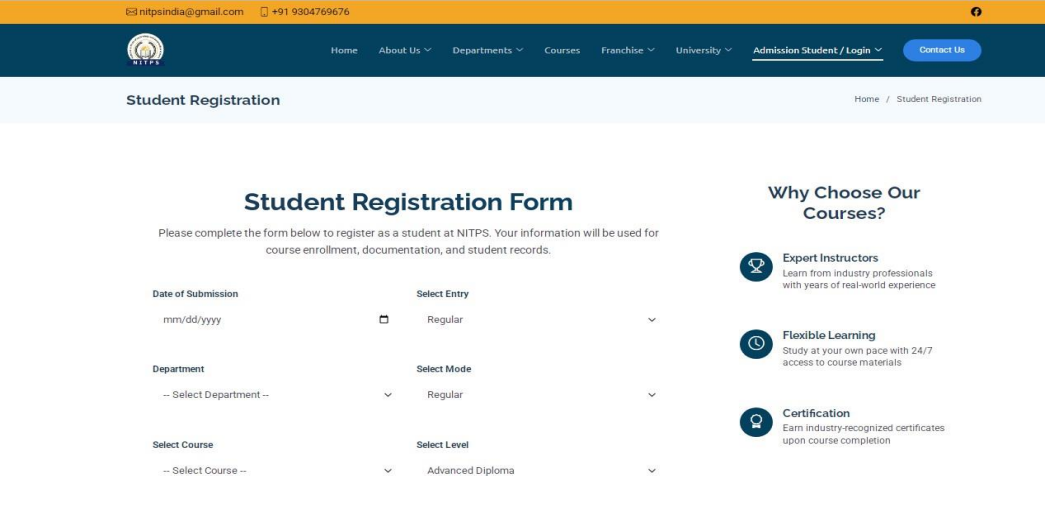
Step 3: Fill the Registration Form
Enter all the required student information correctly, including:
- Student Name
- Father's / Guardian's Name
- Date of Birth
- Mobile Number
- Email Address
- Address
- Educational Qualification
- Course Details
- Required Documents
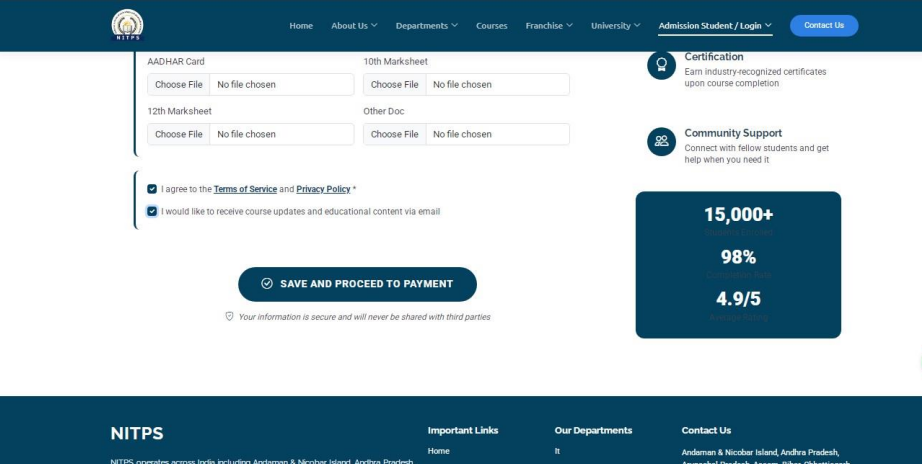
Step 4: Save Registration
After completing the registration form, click the Save And Proceed to Payment button.
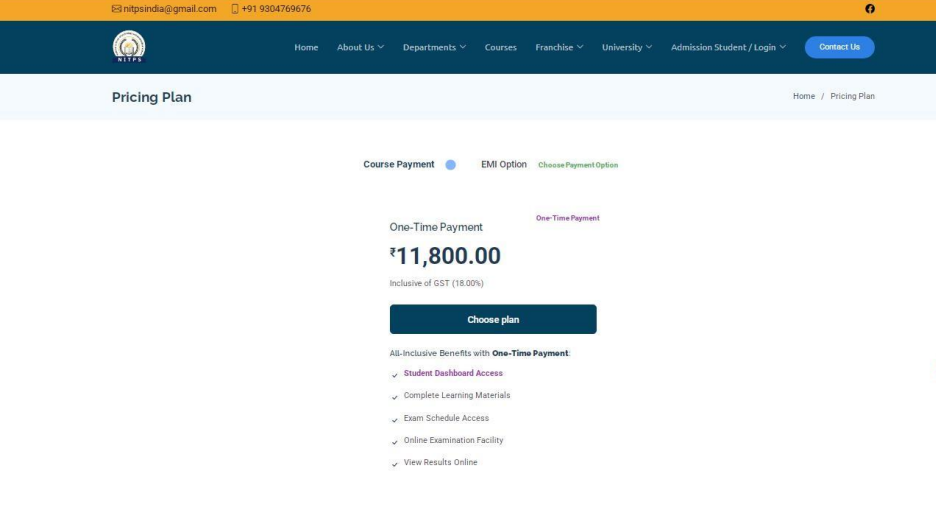
Step 5: Choose Payment Option
Students can choose any one of the following payment options:
- One-Time Payment
- EMI Payment
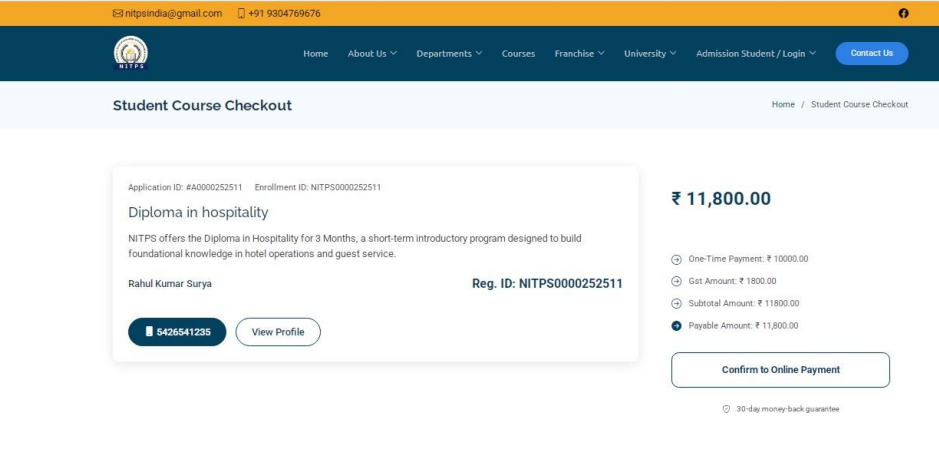
After selecting your preferred payment option, click the Choose Plan button.
The Course Checkout Page will open automatically.
Step 6: Confirm Admission & Payment
On the checkout page, you can view your:
- Application ID
- Enrollment ID / Registration ID
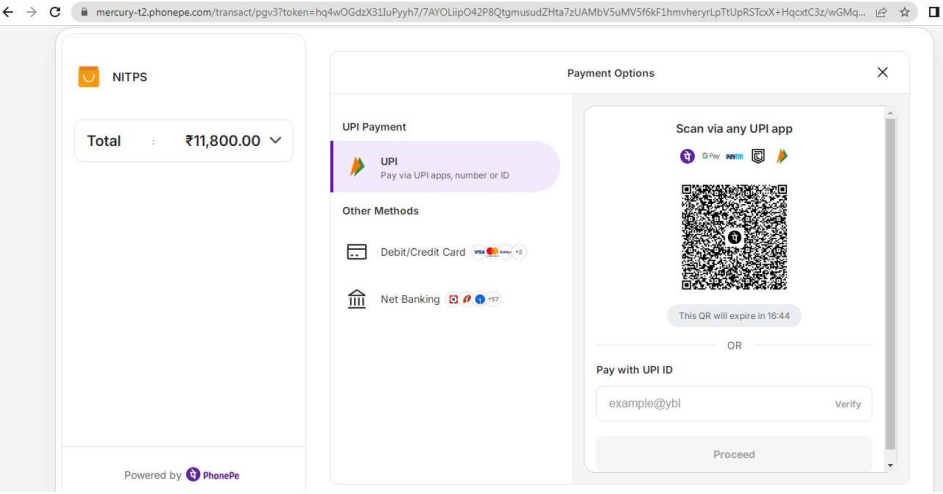
Review the details carefully and click Confirm Online Payment to complete the admission fee payment.
Admission Confirmation
Once your payment is successful:
- Your admission will be confirmed.
- A confirmation email will be sent to your registered email address.
- Your Application ID and Enrollment ID will remain available in your student account for future reference.
Need Help?
If you experience any issues during registration or payment, please contact the NITPS support team.
Website:
https://nitps.org/
Email:
nitpsindia@gmail.com
Phone: +91 9304769676
Questions About Terms?
If you have any concerns or queries about these terms, please feel free to contact our support team.
Contact Support